Pancreas 1011.0
Publisher Description
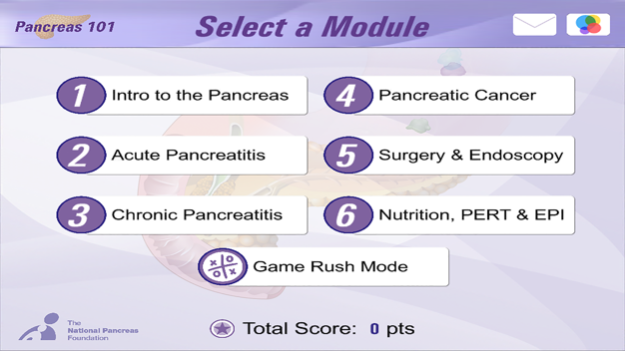


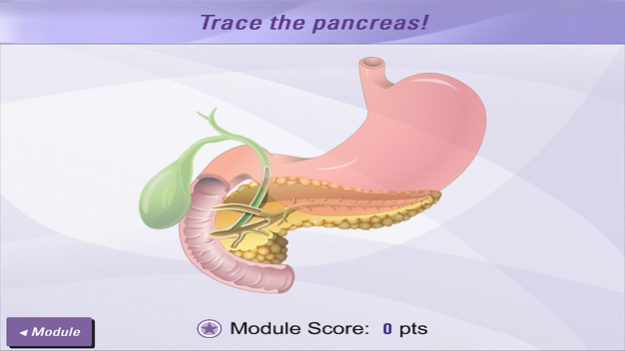
Developed by Mechanisms in Medicine Inc. for the National Pancreas Foundation.
The Pancreas 101 App is an evidence-based resource that provides easy-to-understand and expert-approved animations to help patients discuss key issues with their healthcare provider and make important decisions related to management and treatment of pancreatic diseases.
This App is intended for patients, caregivers, and healthcare professionals. The opinions expressed in this App are those of the contributing faculty, and are not those of The National Pancreas Foundation nor the developer, Mechanisms in Medicine Inc. For any medical advice please consult with your doctor.
The National Pancreas Foundation provides hope for those suffering from pancreatitis and pancreatic cancer through funding cutting edge research, advocating for new and better therapies, and providing support and education for patients, caregivers, and healthcare professionals. Learn more at: www.pancreasfoundation.org
Mechanisms in Medicine produces evidence-based, visually-rich medical animations and digital media tools, designed to ease the understanding of complex scientific concepts, and accelerate change in practice behavior and patient outcomes. Our medical animations explain complex science – fundamental to the understanding of disease, prevention and treatment options – in order to educate, engage and inspire.
Jul 14, 2016
Version 1.0
This app has been updated by Apple to display the Apple Watch app icon.
About Pancreas 101
The company that develops Pancreas 101 is Mechanisms in Medicine Inc.. The latest version released by its developer is 1.0.
To install Pancreas 101 on your iOS device, just click the green Continue To App button above to start the installation process. The app is listed on our website since 2016-07-14 and was downloaded 20 times. We have already checked if the download link is safe, however for your own protection we recommend that you scan the downloaded app with your antivirus. Your antivirus may detect the Pancreas 101 as malware if the download link is broken.
How to install Pancreas 101 on your iOS device:
- Click on the Continue To App button on our website. This will redirect you to the App Store.
- Once the Pancreas 101 is shown in the iTunes listing of your iOS device, you can start its download and installation. Tap on the GET button to the right of the app to start downloading it.
- If you are not logged-in the iOS appstore app, you'll be prompted for your your Apple ID and/or password.
- After Pancreas 101 is downloaded, you'll see an INSTALL button to the right. Tap on it to start the actual installation of the iOS app.
- Once installation is finished you can tap on the OPEN button to start it. Its icon will also be added to your device home screen.
Program Details
System requirements
Download information
Pricing
Version History
version 1.0
posted on 2016-07-14
Jul 14, 2016 Version 1.0
This app has been updated by Apple to display the Apple Watch app icon.
version 1.0
posted on 2016-07-14
14 jul. 2016 Version 1.0
This update is signed with Apple’s latest signing certificate. No new features are included.
version 1.0
posted on 2016-07-14
version 1.0
posted on 2016-07-14
Jul 14, 2016 Version 1.0
This update is signed with Apple’s latest signing certificate. No new features are included.
version 1.0
posted on 2016-07-14
Jul 14, 2016 Version 1.0
This app has been updated by Apple to use the latest Apple signing certificate.
version 1.0
posted on 1970-01-01
2016年7月14日 Version 1.0
This update is signed with Apple’s latest signing certificate. No new features are included.
